


Golf carts are a convenient way to get around a golf course, retirement community, or even your neighborhood. Like any other vehicle, golf carts require regular maintenance and occasional troubleshooting.
One common issue golf cart owners may encounter is a malfunctioning battery charger.
In this blog, we will learn about common golf cart battery charger issues and how to troubleshoot them.
What are the Common Golf Cart Battery Charger Problems?
Charger Not Turning On
One of the most common problems golf cart owners face is a battery charger that won’t turn on.
This could be due to a variety of reasons, such as a faulty power outlet, a damaged cord, or a blown fuse in the charger.
Slow Charging
If your golf cart battery takes longer than usual to charge, it could indicate an issue with the charger. A loose connection between the charger and the batteries or a malfunctioning internal component could cause it.
Charger Runs Too Long (Or Not Long Enough)
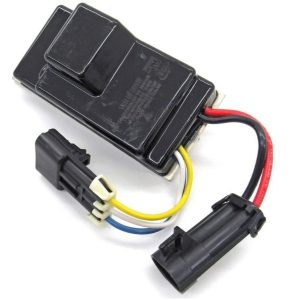
If your golf cart battery charger runs for longer than expected, it indicates a problem with the charger’s computer.
A failure in this section can cause the charger to be unaware of when to stop charging. Depending on your level of technical proficiency, you may be able to replace this component yourself or need to buy a new charger altogether.
Overheating
Another problem that may occur with golf cart battery chargers is overheating. This can happen if the charger is left plugged in for too long or used on extremely hot days.
Overheating can damage the club car battery charger and pose a fire hazard.
Fuse Blowing
A fuse is a safety device that protects electrical circuits from overloading, but it can also be a common issue with golf cart battery chargers.
If your charger keeps blowing fuses, there could be an underlying problem with the charging system that needs to be addressed.
Clicking Sound
One issue many electric golf carts have is that when you plug in the charger, it may click and then do nothing.
Hearing this sound indicates that while the charger’s computer ‘brain’ is aware that it is time to charge your cart, it cannot do so for some reason.
When this happens, your charger will need to be checked by a professional golf cart shop, such as Carts & Parts.
If it needs to be replaced, check your warranty (if you have one) to see whether it is covered.
The Charger is Too Loud
If your charger makes excessive noise during charging, this indicates an issue with its cooling system.
When this happens, you will need to have the problem checked out by a professional golf cart technician to ensure there are no underlying issues that could cause damage or further problems.
Incorrect Charging
It is essential to use the correct charger for your specific golf cart battery type. Using the wrong charger can cause undercharging or overcharging, which can significantly shorten the golf cart’s battery life.
How to Test a Golf Cart Charger with a Multimeter?
A multimeter is a valuable tool for testing the health and functionality of your golf cart charger. To start, you will need a working multimeter, alligator clips, and access to the battery terminals on your golf cart.
Turn on your multimeter and select the DC voltage setting. This is typically labeled as “V” with a straight line above it. Attach one alligator clip to the positive (+) terminal of your battery and the other alligator clip to the negative (-) terminal.
With your multimeter connected to the battery, record the voltage reading. This is your baseline reading without the charger connected. Next, connect your golf cart charger to the appropriate charging port on your golf cart. Once it is connected, check the voltage reading on your multimeter again.
Compare the voltage readings with and without the charger connected. If the voltage increases significantly when the charger is connected, this indicates that your charger is functioning correctly.
How to Fix and Troubleshoot a Golf Cart Battery Charger?
- Check the Power Source
The first step in troubleshooting a golf cart battery charger is to ensure that it is correctly connected to a power source. Make sure the outlet or extension cord is working correctly and supplying enough power to the charger.
- Inspect the Charger Cables
Check the cables of your golf cart battery charger for any signs of damage, such as fraying or cuts. If you find any issues with the cables, replace them immediately as they can affect the charging process.
- Clean Battery Connections
Dirt, corrosion, and grime can build up on battery connections over time and prevent proper charging. Use a wire brush or sandpaper to clean these connections thoroughly before attempting to charge again.
- Monitor Charging Time
It is essential to keep an eye on the charging time and not overcharge your golf cart batteries. Most chargers have a built-in timer or indicator light that signals when the batteries are fully charged.
- Avoid Charging in Extreme Temperatures
Extreme temperatures, whether hot or cold, can affect the charging process and potentially damage your batteries. It is best to charge your golf cart batteries in moderate temperatures for optimal performance.
- Use a Smart Charger
Consider investing in a smart charger for your golf cart battery. These chargers have advanced features such as automatic shut-off when the battery reaches full charge and trickle charging to maintain battery health.
- Maintain Regular Charging Schedule
To ensure maximum performance and longevity of your golf cart batteries, it is important to maintain a regular charging schedule. Charging the batteries after each use is recommended, and it is also beneficial to perform a full monthly charge to balance the cells.
Conclusion
Troubleshooting a golf cart battery charger is essential to ensure your golf cart remains functional. From checking the power source to inspecting the connections and assessing the charger’s condition, these troubleshooting steps can help you identify and resolve common issues, allowing you to get back on the course without interruption.
Trust experienced professionals at Carts & Parts to assist you in troubleshooting your golf cart battery charger, providing reliable parts and servicing facilities to keep your golf cart in top condition.
For further golf cart-related professional queries and assistance, contact Carts & Parts at (937) 459-8891.

My battery charger will only work when the key is turned on….any suggestions?
Hi Jess, We are sorry you are having trouble with your battery charger. There might be a problem with the wiring or the switch. Have you checked to ensure everything is plugged in correctly and that the switch is in the correct position? If it’s still not working, you might need to have a technician take a look at it. Call us if you would like us to troubleshoot it with you. Good luck!
I have a Brand new Admiral advantage 650w/ advantage plus 1050w charger and have one yellow light on and it is blinking one red light every 8 seconds just when it is plugged into the ac receptacle (Not even plugged into the cart) so obviously i have a dead cart as well.
any suggestions
Hi Matt, It sounds like the battery’s output has short-circuited. Try to reset the battery charger by cycling AC or DC power. You may want to contact Admiral customer service if that doesn’t work. Good luck!
my charger is all the way charging ,gose 4 min shuts
off ,1 minute,gose back to full
charge the another 4 minutes, shuts off,repets?
Hi Pat, It sounds like your charger is experiencing a cycling issue, where it repeatedly turns on and off during the charging process. This can be caused by several factors:
1. Check the charge receptacle and charger plug for any dirt or corrosion. Clean them if necessary, as poor connections can disrupt the charging cycle.
2. If the battery voltage is too low, the charger may not function properly. Ensure your batteries are adequately charged and functioning well.
3. Inspect the charger itself and the wiring for any faults. A bad connection or a malfunctioning charger could lead to this behavior.
4. If your batteries are old or damaged, they may not hold a charge effectively, causing the charger to cycle on and off.
If these steps don’t resolve the issue, we recommend a visit to a professional golf cart service center. Good luck!